What is an invoice?
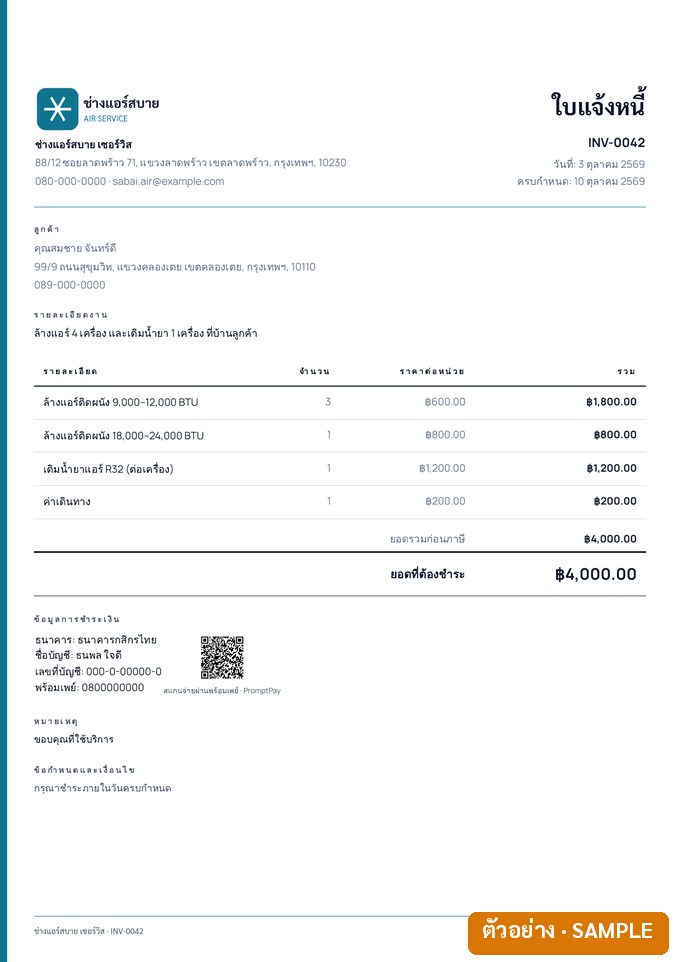
An invoice (ใบแจ้งหนี้) tells the customer how much to pay, by when, and into which account. It is issued after the work is done or the goods delivered (a billing note, ใบวางบิล, is a different document — see below).
If you are VAT-registered, the invoice can be issued as one set with the tax invoice. If you are not registered, your invoice must not be headed “ใบกำกับภาษี” (tax invoice).
What an invoice should include
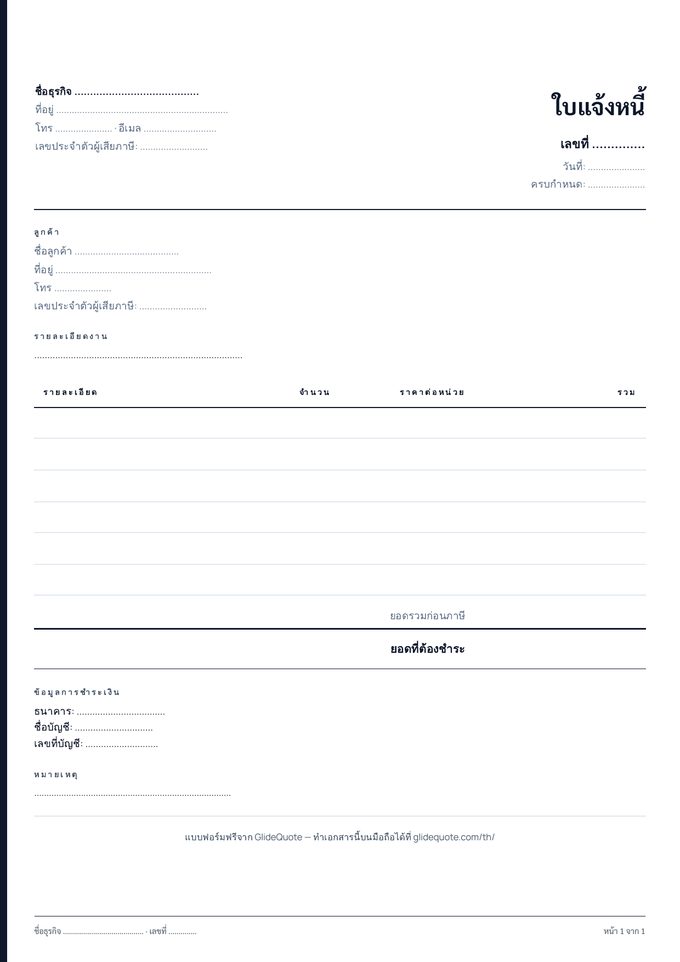
- Seller’s name, address and tax ID
- Customer’s name, address and tax ID, if any
- Invoice number, date and due date
- Items, quantity, unit price and amount
- Discount, VAT 7% (if registered) and total
- Withholding tax and net amount due (when a company customer must withhold)
- How to pay: bank, account name, account number or PromptPay
Invoice vs billing note (ใบแจ้งหนี้ vs ใบวางบิล)
In practice the two terms are used differently:
- Invoice (ใบแจ้งหนี้) — issued for each delivery or job, stating what is owed for that work
- Billing note (ใบวางบิล) — issued at the customer's billing round, collecting several outstanding invoices into one amount to pay
For tradespeople and contractors who are paid job by job, a single invoice is enough. Some company customers ask for the heading "ใบแจ้งหนี้/ใบวางบิล" on one document, which is fine. We found no law that prescribes the format of either.
Example invoice: VAT and withholding tax
Say you finish an air-con installation for a company customer, service charge 10,000 baht.
- VAT-registered: 10,000 + 7% VAT (700) = 10,700 baht total · the company withholds 3% of the pre-VAT amount = 300 baht · you receive 10,400 baht plus a 50 ทวิ withholding certificate
- Not VAT-registered: 10,000 baht total · 3% withheld = 300 baht · you receive 9,700 baht
- Customer is an individual: normally nothing is withheld — you receive the full amount
Show both the total and the net amount after withholding on the invoice, so the figures match what the customer transfers.
Try your own figures in the free VAT & withholding tax calculator (no sign-up).
Invoices for sole traders and freelancers
An individual can issue an invoice. Use your 13-digit Thai ID number (or your tax ID if you are a foreigner) as the tax ID, and if you are not VAT-registered, never head the document "ใบกำกับภาษี" (tax invoice).
When a company customer withholds tax, keep every 50 ทวิ certificate — it is credited against your personal income tax when you file the annual return.
Invoice from your phone with GlideQuote
- From the quote, or from scratch — an agreed quote becomes the invoice in one tap
- Payment details on the document — bank, account name, account number, and PromptPay QR (Pro)
- Send by LINE — share the PDF with the customer
- Record the payment — in full or in part, then issue the receipt
3% withholding tax PRO
Switch it on per invoice; the deduction and the net amount are shown clearly for company customers.
PromptPay QR on the invoice PRO
Your PromptPay number becomes a QR the customer can scan to pay, on invoices charged in baht.
Quote → invoice in one tap
Once the customer agrees, one tap turns the quote into an invoice with the same items, customer details and payment terms — no retyping.
Part payments and receipts
Record a part payment or the balance, then create the receipt PDF straight away.
Polite payment reminders
Home shows what is outstanding and overdue; Remind client gives you a ready message with the amount and your bank details to send by chat.
VAT 7% on every plan
VAT-registered? The app calculates 7% VAT separately from the value and uses the tax-invoice heading. Not registered? You get a clean invoice without VAT.
What is the difference between an invoice and a tax invoice?
Who deducts the 3% withholding tax?
How do I make an invoice?
Where can I get a free invoice form?
Can I issue the invoice in English?
What about 3% withholding tax and PromptPay?
When does the app issue a “tax invoice”?
What does GlideQuote cost?
Ready to try it?Free plan, no card · Pro is free for the first month