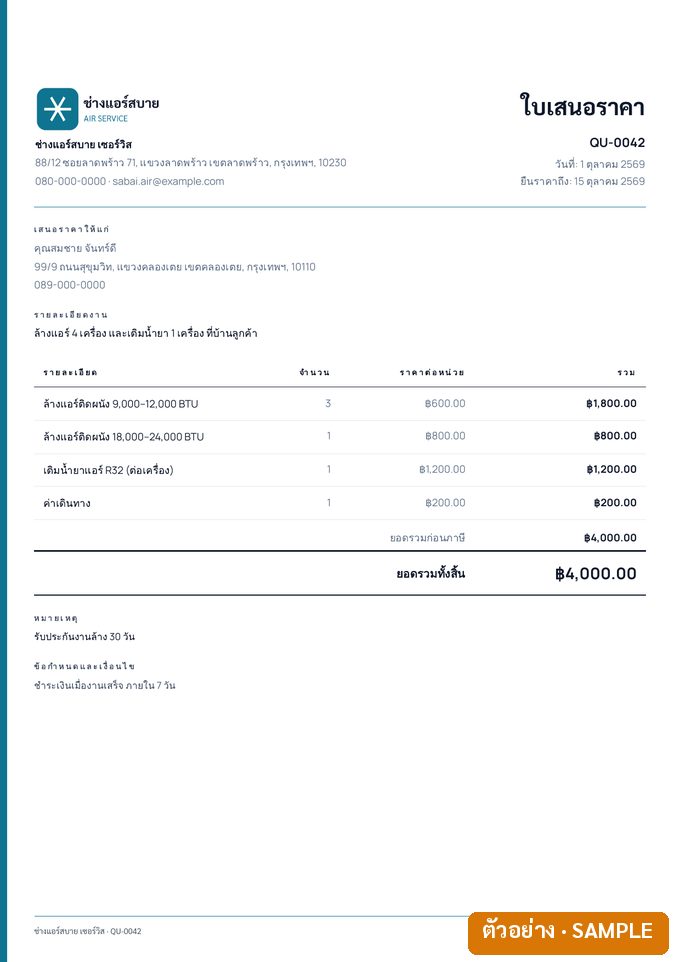
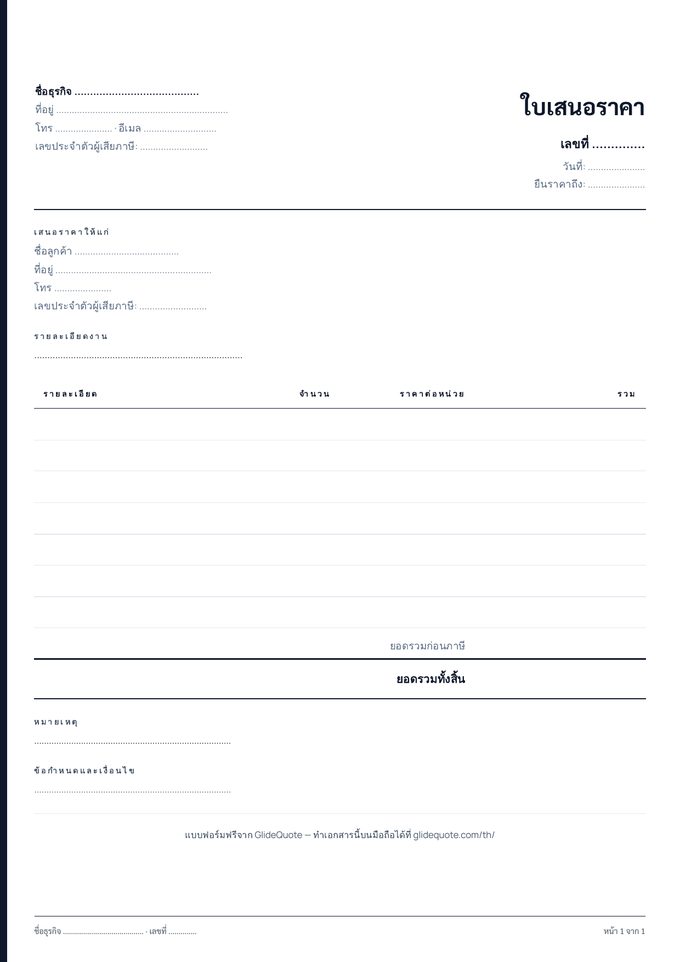
What is a quotation?
A quotation (ใบเสนอราคา) is a price offer for goods or services, sent before the customer agrees to the work. Once accepted, it records the price, the scope and the payment terms.
A quotation is not a tax document — it is neither a tax invoice nor a receipt. We found no legally prescribed format for a quotation, but a good quotation carries the items below.
What a quotation should include
- Your name, address, tax ID and contact details
- The customer’s name and address
- Quotation number and date
- How long the price is valid
- Items or work, quantity, unit, unit price and amount
- Discount, VAT 7% (VAT-registered businesses only) and the total
- Payment terms, e.g. deposit and stages
- Signature lines for you and the customer
Example quotation: with and without VAT
Say you quote an air-con installation at 10,000 baht for labour and materials. The total on the quotation depends on your VAT status.
- Not VAT-registered: total 10,000 baht, no VAT line on the document
- VAT-registered: 10,000 baht before tax + 7% VAT (700 baht) = 10,700 baht total
If the customer is a company or other juristic person, it will withhold 3% of the pre-VAT amount (300 baht) when it pays. A quotation does not need to show the deduction, but it helps to know in advance what will actually arrive — the full example is on the invoice page.
Try your own figures in the free VAT & withholding tax calculator (no sign-up).
Quotations for sole traders and freelancers
An individual can issue a quotation just like a company — no registration needed first. Where the form asks for a tax ID, use your 13-digit Thai ID number (or your tax ID if you are a foreigner), and if you are not VAT-registered, quote without a VAT line.
A quotation itself creates no tax liability; tax arises on delivery, on issuing a tax invoice, or on receiving payment. Withholding tax is explained on the invoice page.
In GlideQuote the Free plan issues quotations without a card — made for tradespeople and freelancers starting out on their own.
Make the quotation on your phone with GlideQuote
- Add the customer and items — items you use often are saved and added in a few taps
- Check the total — discount and VAT (if registered) are calculated for you
- Share the PDF — by LINE, WhatsApp or email
- Agreed → invoice — one tap gives you an invoice with the same items
Send the PDF by LINE
Tap Share on the document and send it as a PDF by LINE, WhatsApp, email or any app on your phone — with your logo on it.
Quote → invoice in one tap
Once the customer agrees, one tap turns the quote into an invoice with the same items, customer details and payment terms — no retyping.
Deposit and stage payments PRO
Add a deposit and up to 5 stage payments on one document, each with its own due date, and mark each stage paid as it comes in.
Automatic document numbers
Quotes and invoices are numbered in sequence automatically, and you can set your own number prefix.
VAT 7% on every plan
VAT-registered? The app calculates 7% VAT separately from the value and uses the tax-invoice heading. Not registered? You get a clean invoice without VAT.
Thai or English documents
Use the app in English and send documents in Thai, or the other way round — the document language is a separate setting.
Does a quotation need VAT?
How long should a quotation be valid?
Is the form really free?
How many quotations does the Free plan allow?
Is a quotation required, and does the customer have to sign it?
Can I make the quotation in English?
Is there a Word or Excel version of the form?
What does GlideQuote cost?
Ready to try it?Free plan, no card · Pro is free for the first month