What PromptPay is
The Bank of Thailand describes PromptPay, launched in 2016, as payment infrastructure that lets users transfer money using a citizen ID, a mobile phone number (or the recipient's other identification number) and a bank account number, through digital channels, with lower fees. It lists PromptPay for Corporate as the extension that lets businesses register to receive money from customers, and Thai QR Payment as the service that lets a payer scan a QR code in their mobile banking app.
How to join
Users register by linking an existing bank account to their citizen ID or phone number through mobile banking, internet banking, an ATM or a branch, the Bank of Thailand says. Someone with accounts at several banks does not register each one: they choose one account to receive PromptPay, or link the citizen ID to one account and the phone number to another. The same phone number cannot be linked to more than one account.
What it costs
The Bank of Thailand publishes a fee table per transaction: free up to ฿5,000; under ฿2 over ฿5,000 up to ฿30,000; under ฿5 over ฿30,000 up to ฿100,000; under ฿10 over ฿100,000 up to the bank's limit. It adds that since 2018 most banks have waived fees for digital payments such as mobile payment.
The QR and the bank details on the invoice
A QR printed on the invoice is scanned with Thai QR Payment, which the Bank of Thailand describes as paying by scanning a QR code in a mobile banking app; the bank name, account name and account number printed beside it serve a customer who pays by transfer.
When a company withholds 3%
Under the Revenue Department's Director-General Notice ท.ป.4/2528, a company paying service fees to a company withholds 3%, and a company paying hire-of-work fees to an individual withholds 3%; the payer gives a certificate for the amount withheld. Invoice ฿20,000 and ฿19,400 arrives with a certificate for ฿600. Printing the net amount on the invoice lets both accountants see the same figure. Withholding tax 3% →
The receipt after payment
Section 105 of the Revenue Code requires the seller or payee to issue a receipt immediately, every time a payment is received, whether or not the payer asks for one, once the amount exceeds what the Director-General sets — a figure the Code caps at ฿1,000 for VAT or specific-business-tax registrants and ฿10,000 in other cases. Section 105 ทวิ lists what it must show: the issuer's tax ID, name or brand, book and receipt numbers, the date, the amount received, and, from ฿100, the kind, name, amount and price of the goods; a receipt in a foreign language must carry Thai alongside; and the issuer keeps the stub or a copy for at least five years. Section 105 applies every time money is received above the Director-General's amount; on its wording that covers a deposit, a stage payment and the final balance alike.
What GlideQuote does
GlideQuote makes the quotation, invoice and receipt on your phone, with your tax ID and company name printed exactly as you set them once in Business details. Mark the business VAT-registered and the invoice heading becomes a tax invoice; switch withholding tax on for a document and the PDF shows the amount withheld and the net amount due. For Thailand the invoice can carry a PromptPay QR and your bank details. Deposits and up to five stage payments are tracked on the invoice, each part payment gets its own receipt, and a payment reminder goes to the customer with the amount and bank details ready. The free plan has no card and no time limit; Pro is free for the first month.
This page is general information read from official Thai government pages on 10 November 2026. It is not legal, immigration or tax advice, and it does not tell you what you may or may not do. Confirm your own position with a licensed Thai lawyer or accountant.
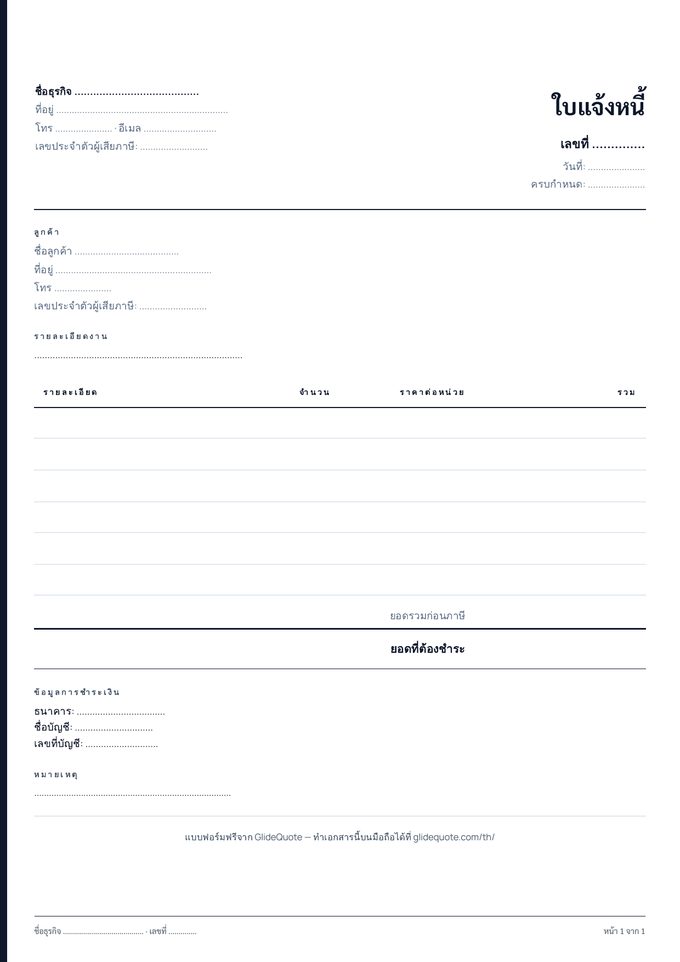 Invoice form (free PDF)A4, Thai, same design as the appAbout the invoice in Thailand →Example, what it must contain, how the app makes it
What can PromptPay be linked to?
What does a PromptPay transfer cost?
Can one phone number receive into two accounts?
Do I have to issue a receipt?
Can the receipt be in English?
Ready to try it?Free plan, no card · Pro is free for the first month